How Do I Upload a CSV File of My Own Leads?
Last updated: January 6, 2026
 Article Overview:
This article explains when you should upload a CSV file of your own leads and how to do it.
 When should I upload a CSV file of my own leads?
Uploading a CSV file with your own leads enables you to target a specific audience with precision, giving you full control over the outreach process. To ensure your upload is successful, your file must meet specific requirements.
How do I upload a CSV file of my own leads?
Step 1: Select Your Campaign
Navigate to your desired campaign

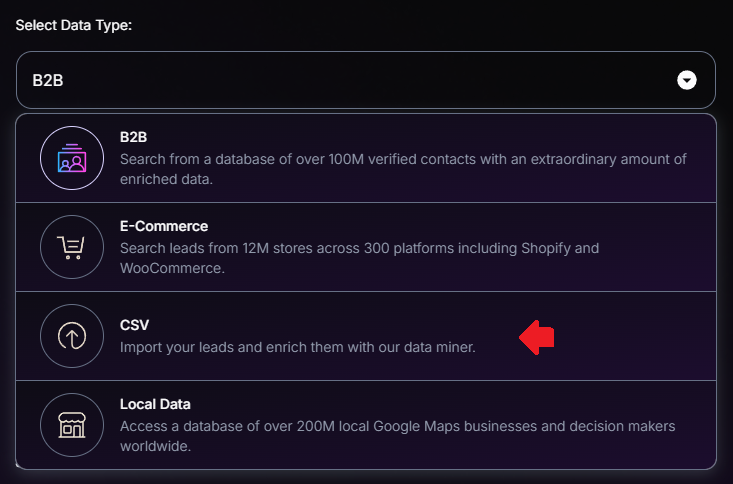
Step 2: Select Data Type
By default, the selected Data Type is B2B - click on the dropdown menu and select CSV
Step 3: Upload Your CSV File
Choose the file you want to upload
Make sure to compare it to the provided Sample CSV Format - this is how rows on your file should be structured too:
Email (Mandatory)
First Name (Mandatory)
Last Name
Organization Name (Mandatory)
Job Title (Mandatory)
Website (Mandatory)
Time Zone
Country

Click Upload All Entries in the bottom right corner
Your leads should now be populated with the data from your file!
 CSV files are sensitive to formatting errors, so review and validate the structure before uploading.
 Tips for Success:
Double-check your file to ensure all required fields are included and filled correctly.
Need Assistance?
Contact our Support team if you have any questions or issues!