How Do I Add Variables to My Email?
Last updated: January 16, 2025
🔍 Article Overview:
This article explains how to add variables to your emails, and when you should do it.
🙋 What are email variables and why should I use them?
Email variables are dynamic fields that get replaced with corresponding data from your lead or contact list. For instance, using the variable "First Name" ensures that the email dynamically includes the recipient’s first name.
Email variables are useful for when you want to be in control and personalize your emails further.
🙋 How do I add variables to my email?
Step 1: Select the Campaign You Want to Edit
Navigate to the campaigns page from the menu on the left-hand side of the screen.
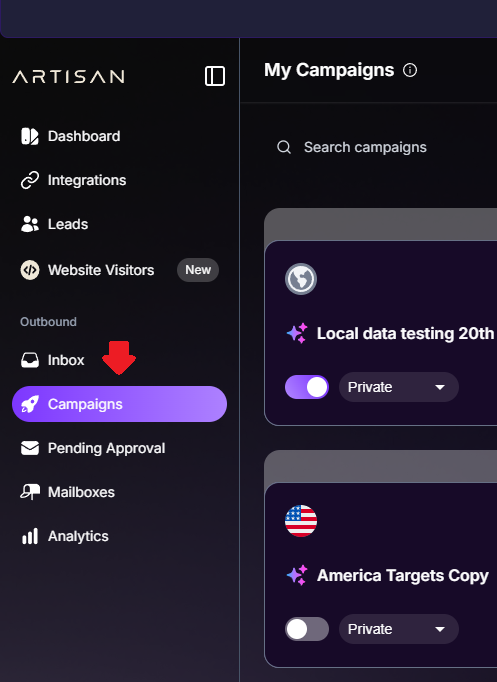
Open your desired campaign.
Step 2: Navigate to Workflow
Click Workflow at the bottom of the screen.

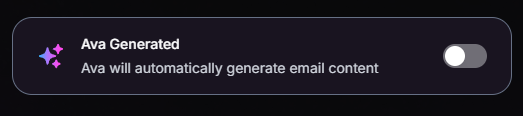
Make sure that Ava Generated is turned OFF.
Step 3: Change the Workflow
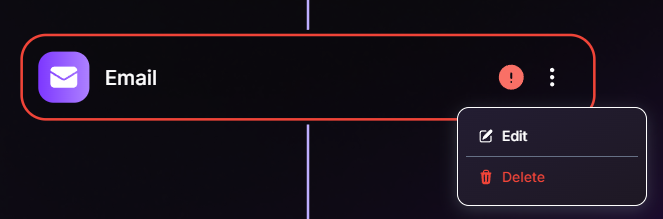
Select which step you would like to edit.
Start typing the body, and select which variables you would like to include. Currently there 4 variables to choose from:
First Name
Company Name
Company Website
Job Title
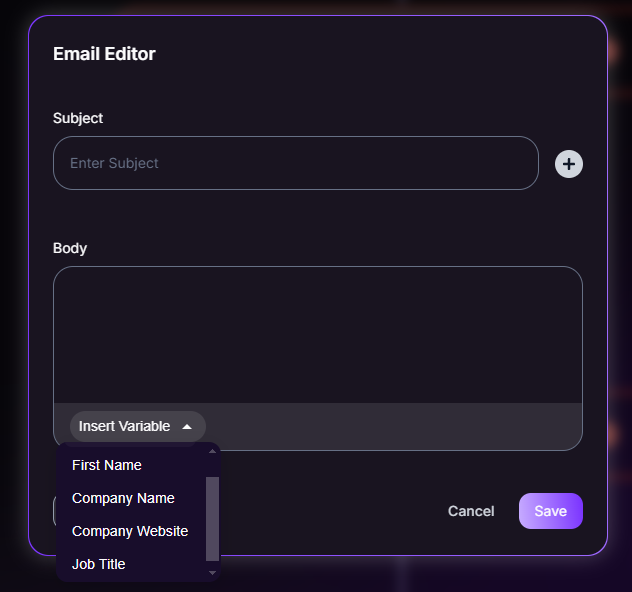
Click Save.
Move on to edit any other steps of the workflow, as necessary.
💡 Workflows can either be fully Ava Generated or manually set-up, there is no in-between!
 Tips for Success:
Experiment with different styles of email to see which one yields the best results.
Need Assistance?
Contact our Support team if you have any questions or issues!